You saw a tiny black apple pop up in someone’s caption and thought, wait, is that just a fruit or something more? That little symbol has a way of making people stop mid-scroll and wonder what it actually stands for.
This guide breaks down the real apple logo emoji meaning, shows you the exact apple logo copy symbols you can paste anywhere, and walks through how people actually use the apple logo emoji on WhatsApp, Instagram, and TikTok. If you have ever typed this into a search bar hoping for a quick, honest answer, you are about to get one. Keep reading.
What do apple logo emoji mean?
Most people typing apple logo emoji into Google are picturing three different things at once, and that mix-up is exactly what makes this so confusing to explain simply.
The apple logo copy symbol is the black silhouette tied to the Apple brand, while 🍎 and 🍏 are just fruit emojis that happen to share the name. They are not interchangeable, even though people use them that way in casual chats. Tech emojis like 📱, 💻, and ⌚ often get grouped in too, since they show up in the same Apple-themed posts and captions.
How Is the Apple Logo Emoji Different From Regular Emojis?
The apple logo emoji is not part of the standard Unicode emoji set that every keyboard supports. It is treated more like a brand symbol, which is why it renders on some Apple devices and shows up as a blank box or missing character elsewhere.
- The symbol is a branded glyph, not an official Unicode emoji.
- It was originally built into specific Apple system fonts.
- 🍎 and 🍏 are true Unicode emojis that work everywhere.
- Android phones often cannot display the true logo character.
- Copy-paste tools exist because typing it natively is hard.
Example in texting: Friend 1: just switched my whole setup to Apple lol Friend 2: say less, you’re basically family now
| Emoji | Core meaning | Often confused with | Best used when |
|---|---|---|---|
| Apple brand symbol | Apple fruit emoji | Talking about Apple as a company | |
| 🍎 | Red apple | Apple logo | Fruit, school, or health topics |
| 🍏 | Green apple | Apple logo | Fresh, playful Apple-themed posts |
| 📱 | Smartphone | Any brand of phone | Talking about phones in general |
| 💻 | Laptop | Desktop computer | Work, study, or laptop use |
| ⌚ | Watch | Smartwatch specifically | Talking about time or watches |
| 🎧 | Headphones | Music apps | Audio, music, or podcasts |
| 🖥️ | Desktop computer | Monitor only | Full computer setups |
| ⌨️ | Keyboard | Typing in general | Computer work or coding |
| 🔒 | Security | Locked device | Privacy or safety messages |
Apple Logo
Meaning: The apple logo emoji is the silhouette tied directly to Apple as a brand, its products, and its overall tech identity.
- Represents Apple as a company, not a fruit.
- Common in bios, captions, and product posts.
- Works best when the message is clearly about Apple.
- Not a true Unicode emoji, so support varies.
- Often paired with 📱 or 💻 for tech context.
Example in chat: Friend 1: my whole desk is Apple now, laptop, phone, watch Friend 2: honestly that’s the dream setup
🍎 Red Apple
Meaning: 🍎 is the standard red apple emoji, used for fruit, school, health, and sometimes playful Apple references.
- Represents fresh fruit or healthy eating.
- Common in school and teacher-related posts.
- Sometimes used as a stand-in for the Apple brand.
- Works on every device and platform.
- Pairs well with 🍏, 🥗, or 📚 in context.
Example in texting: Friend 1: an apple a day 🍎, trying to be healthy this week Friend 2: proud of you, keep it up
🍏 Green Apple
Meaning: 🍏 is the green apple emoji, often chosen for a fresher, lighter feel in fruit or Apple-themed messages.
- Represents freshness and a lighter tone.
- Popular in aesthetic or minimal captions.
- Sometimes swapped in for the Apple brand look.
- Fully supported across iOS and Android.
- Pairs nicely with 🍎, 💻, or ✨ combos.
Example in chat: Friend 1: green apple vibes today 🍏 Friend 2: love that energy, very fresh start mood
📱 Mobile Phone
Meaning: 📱 stands for a smartphone or mobile device, and it shows up constantly next to the apple logo emoji in tech posts.
- Represents any brand of smartphone.
- Common in messages about texting or calls.
- Frequently used with 💬, 🔒, or ❤️ combos.
- Fully supported on every major platform.
- Fits captions about daily phone life.
Example in texting: Friend 1: finally got my new phone 📱 Friend 2: okay unboxing pics right now please
💻 Laptop
Meaning: 💻 represents a laptop computer, work, or studying, and it often appears alongside Apple-branded content about MacBooks.
- Represents work, study, or coding.
- Common in productivity-themed captions.
- Often paired with ☕ or ⌨️ combos.
- Works on all standard keyboards.
- Fits posts about remote work setups.
Example in chat: Friend 1: stuck on my laptop 💻 all day, deadline is brutal Friend 2: same, coffee number three incoming
⌚ Watch
Meaning: ⌚ is used for a watch or smartwatch, and it frequently appears in posts about Apple Watch or daily routines.
- Represents time, routines, or watches.
- Often means a smartwatch specifically.
- Common in fitness or morning routine posts.
- Pairs well with 🏃, ⏰, or 💻 combos.
- Fully supported across every device type.
Example in texting: Friend 1: my watch died again ⌚ Friend 2: charge that thing, you’ll miss your steps goal
🎧 Headphones
Meaning: 🎧 represents headphones, music, or focused listening, and it shows up often in Apple-related audio content.
- Represents music or podcast listening.
- Common in study or workout captions.
- Often paired with 🎵, 📱, or 💻.
- Works across every platform reliably.
- Fits messages about staying focused.
Example in chat: Friend 1: headphones on 🎧, ignoring the world for a bit Friend 2: honestly that’s the move today
🖥️ Desktop Computer
Meaning: 🖥️ represents a desktop computer or full computer setup, often used in posts about workstations.
- Represents a full desktop setup.
- Common in gaming or design captions.
- Different from 💻, which is a laptop.
- Pairs with ⌨️ or 🖱️ in combos.
- Fits messages about home office life.
Example in texting: Friend 1: new desktop setup finally done 🖥️ Friend 2: send pics, I need setup inspiration
⌨️ Keyboard
Meaning: ⌨️ stands for a keyboard, typing, or computer work in general, often paired with other tech symbols.
- Represents typing or computer work.
- Common in writing or coding captions.
- Fits messages about finishing a task.
- Pairs well with 💻 or 🖥️ combos.
- Works consistently on all devices.
Example in chat: Friend 1: back on the keyboard ⌨️, so many emails today Friend 2: rough, take a break when you can
🔒 Locked
Meaning: 🔒 represents safety, privacy, or a locked device, and it often follows a phone or laptop emoji for extra meaning.
- Represents privacy or protection.
- Common in messages about account safety.
- Fits captions about a locked phone.
- Pairs with 📱 or 💻 for security context.
- Understood the same way on every platform.
Example in texting: Friend 1: phone’s locked 🔒, nobody’s seeing those texts Friend 2: smart move honestly
What Does the Apple Logo Emoji Mean in Texting?
In texting, the apple logo emoji almost never means the fruit. It signals brand loyalty, a new device, or general tech pride, and the tone around it decides the rest.
People rarely send just the symbol on its own. It usually sits next to another emoji or a short line about a product, a setup, or a purchase, which gives the message its real meaning.
“Curious about other shorthand people drop into chats? Here’s what IONK means in text if you’ve seen it pop up recently.”
Why Do People Add It to a Simple Text?
- It adds a quick visual cue without extra words.
- It signals excitement about a new device.
- It can show brand pride in a casual way.
- It works as a shortcut for “I’m on Apple stuff.”
- It saves the sender from typing out the whole brand name.
- Used after buying a new iPhone or MacBook.
- Used in captions about a clean desk setup.
- Used to compare Apple gear with a friend’s setup.
- Used as a playful brag about switching brands.
- Used in bios to signal a tech-focused identity.
Example in chat: Friend 1: switched everything over, phone, watch, laptop, all Apple now Friend 2: welcome to the club, it’s a good one
How to use apple logo emoji the right way
Using the apple logo emoji the right way comes down to knowing where it renders, what it signals, and when a simple 🍎 works better instead.
On WhatsApp, the symbol can make a message feel more personal or tech-focused, especially in group chats about phones or gadgets. If it does not display properly, swap in 🍎 so nothing gets lost in translation.
On Instagram, the symbol fits nicely in bios, captions, and posts about Apple products, and it pairs well with other tech-related symbols for a clean, minimal look.
On TikTok, Apple-related symbols suit videos about phones, gadgets, funny tech moments, and setup reveals. They also add a bit of personality to a short caption without cluttering it.
Which Apps Actually Display the Symbol Correctly?
- iOS Messages shows it correctly in most cases.
- WhatsApp support depends on the device and font.
- Instagram bios often render it fine on iPhone.
- Android apps frequently show it as a blank box.
- Desktop browsers vary depending on the installed font.
Do: Use it when the message is clearly about the Apple brand.
Don’t: Treat it like a normal emoji that renders the same way everywhere.
Example in texting: Friend 1: tried sending the apple symbol and it just showed a box lol Friend 2: yeah, use 🍎 instead, works on everything
Apple Logo Emoji vs Real Apple Emoji: What’s the Difference?
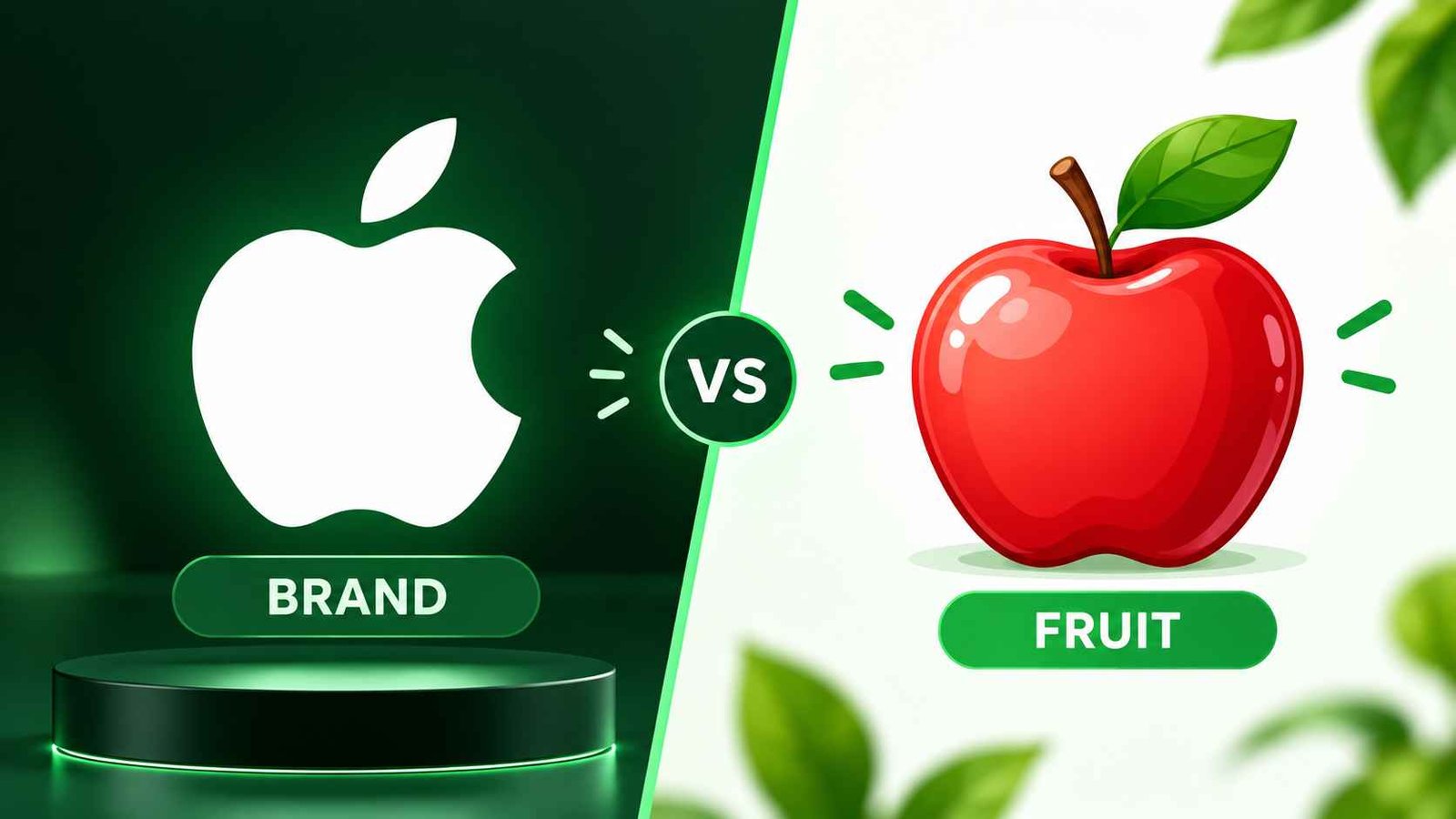
People confuse the apple logo emoji with 🍎 constantly, and the mix-up makes sense since both share the same name and often appear in the same conversations.
The apple logo copy symbol represents a company, not a fruit, while 🍎 is a genuine Unicode character built for food, health, and school-related messages. Knowing which one to use keeps your message from sending the wrong signal.
Should You Use the Logo or the Fruit Emoji?
- Use the logo symbol for anything about the Apple brand.
- Use 🍎 or 🍏 for fruit, health, or school topics.
- Use 🍎 as a safe backup when the logo won’t render.
- Use the logo in bios that focus on tech identity.
- Use fruit emojis in food or wellness captions instead.
| Feature | Apple Logo Symbol | 🍎 Red Apple Emoji |
|---|---|---|
| Unicode status | Not a standard emoji | Fully standard emoji |
| Cross-device support | Limited, mostly Apple devices | Works everywhere |
| Common meaning | Apple the brand | Fruit, school, health |
| Best platform | iOS, macOS | Any device or app |
| Typical use case | Tech bios and captions | Food or lifestyle posts |
Example in chat: Friend 1: does the apple logo work on your phone? Friend 2: nope, shows a box, I just use 🍎 instead
Best apple logo emoji combos copy & paste
Combos make a short message feel warmer and more personal, and pairing the apple logo emoji with the right symbols can turn a plain text into something memorable.
Below are five combo categories people search for most, sorted by the mood they create. Each one is ready to copy and drop straight into a chat.
Which Combo Fits Your Mood Best?
- Romantic combos work for a partner who loves tech together.
- Cute combos suit light, playful daily messages.
- Flirty combos add a spark to a new conversation.
- Missing someone combos fit quiet, waiting moments.
- Good night combos wrap up the day on a soft note.
| Mood | Combo | Feel |
|---|---|---|
| Romantic | ❤️ | Sweet and brand-loyal couple energy |
| Cute | 🍏📱✨ | Light, fun, and simple |
| Flirty | ❤️📱 | Playful, texting-focused spark |
| Missing someone | 🍎❤️📱 | Quiet, waiting, sentimental |
| Good night | 🍏📱🔒 | Calm and winding down |
Romantic
👉 ❤️ A sweet choice for an Apple-loving couple.
👉 ❤️🍎 A cute Apple-themed message with a loving touch.
👉 📱❤️ Great for a sweet text sent straight from your phone.
Example in texting: Friend 1: sent you something small 📱❤️ Friend 2: you always know how to make my day better
Cute
👉 🍎✨ A fun and simple Apple-themed combo.
👉 🍏📱✨ Good for a cute phone or tech caption.
👉 🍏❤️ A playful choice for an Apple fan.
Example in chat: Friend 1: new wallpaper 🍏✨, keeping it simple this month Friend 2: it’s so cute, matches your whole vibe
Flirty
👉 ❤️📱 A fun way to talk about texting someone special.
👉 🍎✨❤️ A simple and sweet message with a little spark.
👉 🎧❤️ Nice for someone who loves Apple devices and music.
Example in texting: Friend 1: been thinking about our playlist 🎧❤️ Friend 2: same here, send me the next song
Missing someone
👉 📱❤️ Good when you are waiting for someone’s message.
👉 ❤️🔒 A simple and personal message that says a lot.
👉 🍎❤️📱 A sweet choice for a missing-you text.
Example in chat: Friend 1: it’s quiet without you texting all day 🍎❤️📱 Friend 2: I miss it too, talk soon okay
Good night
👉 🌙📱 A simple tech-style good night message.
👉 🍏📱🔒 Good for saying good night before putting your phone away.
👉 🎧📱 Great for ending the day with music.
Example in texting: Friend 1: putting my phone away now 🍏📱🔒, night Friend 2: night, sleep well
Why Do People Search for Apple Logo Copy Symbols?
Most people search for apple logo copy because typing the real symbol from a keyboard is nearly impossible without a shortcut, a code, or a copy-paste site.
There is also confusion about which character is the true logo versus a lookalike, so people search to confirm they are pasting the right one before posting it publicly.
What Do People Usually Do With the Copied Symbol?
- Paste it into an Instagram or TikTok bio.
- Drop it into a text about a new device.
- Add it to a caption about a tech setup.
- Use it in a username or display name.
- Save it somewhere to reuse it later.
Example in chat: Friend 1: how did you get the actual logo in your bio? Friend 2: copied it from a symbol site, way easier than typing it
Apple Logo Copy and Paste Symbols You Can Use Today
If typing the apple logo emoji directly feels impossible, that is because it usually is on most keyboards, which is exactly why copy-paste tools exist.
The table below lists the most searched apple logo copy options people use as safe, working alternatives across different apps and devices.
Where Can You Safely Copy the Symbol From?
- Symbol websites built for copy-paste characters.
- Emoji keyboards on certain Apple devices.
- Font-based apps that render the true logo.
- Text expander tools saved for quick reuse.
- Notes apps where you store it for later.
| Symbol type | Works everywhere | Best use |
|---|---|---|
| True Apple logo glyph | No, mostly Apple devices | Bios on iOS |
| 🍎 Red apple | Yes | Safe universal backup |
| 🍏 Green apple | Yes | Fresh or playful posts |
| Text-based “Apple” word | Yes | Guaranteed to display |
Example in texting: Friend 1: just copy pasted the symbol into my bio, finally works Friend 2: looks clean, way better than the box it used to show
What Does the Apple Logo Emoji Look Like on Different Devices?
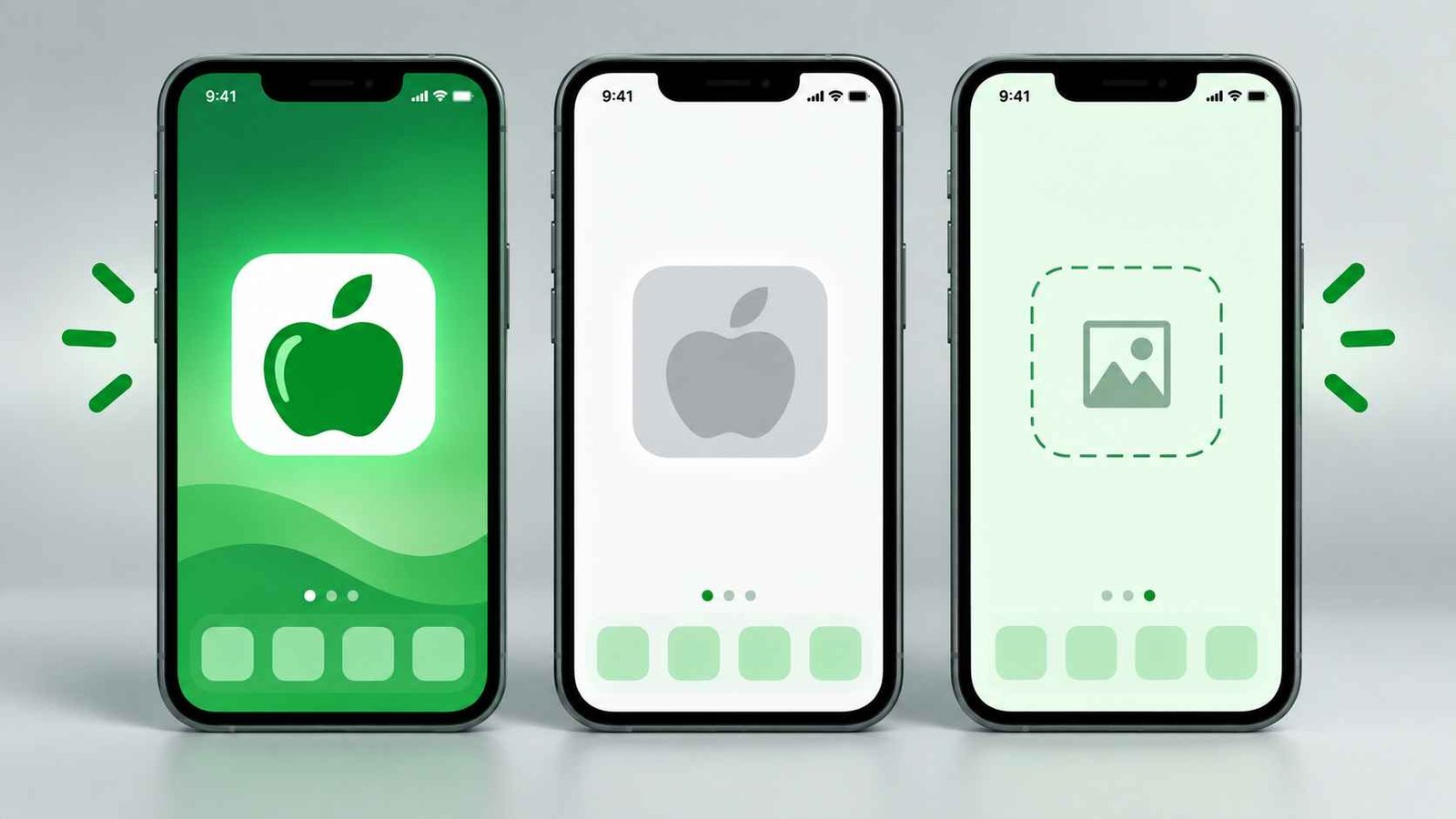
The apple logo emoji does not look the same everywhere, and that inconsistency is the single biggest reason people keep searching for answers about it.
On Apple devices running the right system font, it renders as a clean black silhouette. On most Android phones and older browsers, it often shows up as a blank rectangle instead.
Why Does It Show Up Differently on Android?
- Android uses different font systems than Apple.
- The logo is not part of standard Unicode.
- Some apps strip unsupported characters automatically.
- Browsers may fall back to a placeholder box.
- Only certain Apple system fonts include the glyph.
| Device or platform | Displays correctly | Common result |
|---|---|---|
| iPhone (recent iOS) | Yes, in most fonts | Clean logo symbol |
| Mac desktop | Yes | Clean logo symbol |
| Android phone | Rarely | Blank box or missing glyph |
| Windows PC | Sometimes | Depends on installed font |
Example in chat: Friend 1: your bio symbol shows up weird on my phone Friend 2: yeah I’m on Android, it never renders right for me
Where Can You Use Apple Logo Emoji Online?
The apple logo emoji fits naturally into a handful of everyday online spaces, especially anywhere tech identity or brand pride comes up in conversation.
It shows up most in bios, captions, and casual chats, usually paired with a phone, laptop, or watch emoji to round out the message.
Which Platforms Suit It Best?
- Instagram bios for a clean, minimal tech signal.
- TikTok captions about gadgets or setup videos.
- WhatsApp chats about phones or Apple products.
- Twitter or X posts reacting to Apple news.
- LinkedIn profiles for tech-focused professionals.
Example in texting: Friend 1: added it to my Insta bio, feels very “me” Friend 2: fits your whole tech aesthetic honestly
Is There an Official Apple Logo Emoji on Keyboards?
There is no official apple logo emoji built into the standard Unicode emoji keyboard that every phone shares, which surprises a lot of people the first time they hear it.
Apple included the symbol as a private character in some of its own system fonts, which is why it appears occasionally on Apple devices but rarely anywhere else.
Will Apple Ever Add an Official Version?
- Apple has never submitted it to the Unicode Consortium.
- Trademarked logos are rarely approved as public emojis.
- The current version stays a private character, not a public one.
- Copy-paste tools remain the most reliable workaround.
- 🍎 continues to be the safest universal substitute.
Example in chat: Friend 1: wait so it’s not even a real emoji? Friend 2: nope, private Apple character, that’s why it’s so glitchy
Trending apple logo emoji in 2026
Apple-related symbols stay easy to use in posts about phones, computers, music, and everyday life, and creators keep finding new ways to fold them into captions.
The apple logo emoji is useful when someone wants to show brand pride without spelling out the full word. Other symbols, such as 📱, 💻, and 🎧, fit just as well alongside tech-focused content.
What’s Driving the Trend This Year?
- More creators are posting full desk setup videos.
- Minimal bios with one clean symbol are trending.
- Tech reviews lean on emoji shorthand in captions.
- Younger users prefer symbols over full brand names.
- Cross-platform posting keeps 🍎 as the safer default.
| Emoji | Why it’s trending | Who uses it | Platform |
|---|---|---|---|
| Simple, recognizable branding | Apple users and creators | Instagram, WhatsApp | |
| 📱 | Fits phone-related posts | Social media users | TikTok, Instagram |
| 💻 | Works with work and study posts | Students and creators | Instagram, TikTok |
| 🎧 | Fits music and tech posts | Music fans and creators | TikTok, Instagram |
Emoji styles keep shifting as people find fresh ways to mix symbols with technology, brands, and online culture.
Example in texting: Friend 1: everyone’s bio has that apple symbol now Friend 2: it’s basically the new “verified tech person” badge
FAQs
What is the most popular apple logo emoji?
The symbol most people mean by apple logo emoji is the brand’s black silhouette, though it is not a true Unicode emoji. 🍎 remains the closest working alternative.
Can I type the apple logo emoji on my phone?
Typing it natively is difficult on most keyboards, which is why so many people search for apple logo emoji copy-paste tools instead. A symbol website is the easiest fix.
Why does the apple logo emoji show a blank box on Android?
Android does not include the private font that renders the true apple logo emoji, so it usually falls back to a blank rectangle. 🍎 avoids that issue entirely.
Does the apple logo emoji mean something different from a girl or boy?
The apple logo emoji carries the same meaning regardless of who sends it. It almost always points to Apple, a device, or general tech pride.
Is the apple logo emoji the same as the 🍎 apple emoji?
No, the apple logo emoji represents the Apple brand, while 🍎 is a standard fruit emoji. They only look related because they share a name.
Where can I find apple logo copy symbols that actually work?
Symbol and character copy sites are the most reliable place to grab a working apple logo emoji, since typing it directly rarely succeeds on non-Apple devices.
Are apple logo emoji used differently in other countries?
The Apple brand is recognized worldwide, but how people pair the apple logo emoji with other symbols can shift slightly by language and local texting habits.
Conclusion
The apple logo emoji is mostly used to point at the Apple brand, an Apple product, or a general love of technology, not the fruit people first assume. Because it is not a true Unicode character, it renders beautifully on some devices and turns into a blank box on others, which is exactly why so many people search for a reliable apple logo copy option instead of typing it directly.
Once you know the difference between the real logo and 🍎, using the apple logo emoji the right way becomes second nature. Pick the version that actually displays for your audience, pair it with a phone, laptop, or watch emoji for extra context, and let it do the quiet work of showing your tech identity. Next time you are drafting a bio or a quick text, you will know exactly which symbol to reach for.

Daniel Parker is an English language writer sharing clear grammar lessons, practical tips, and helpful examples for learners.










1 thought on “Apple Logo Emoji Meaning: The Real Copy & Paste Guide”